
A browser extension that saves jobs in one click.
Open a job on most major job sites or career pages and click once. The role, company and details land in Seekrly, with no copying and pasting.
Included on every plan. For Chrome and Firefox.


Choose your browser
One Seekrly account, in whichever browser you use.
Chrome
Install it from the Chrome Web Store, then sign in to your Seekrly account.
Firefox
Install it from Firefox Add-ons, then sign in to your Seekrly account.
How job seekers use the extension
Real screens from the Seekrly extension, shown with sample data.
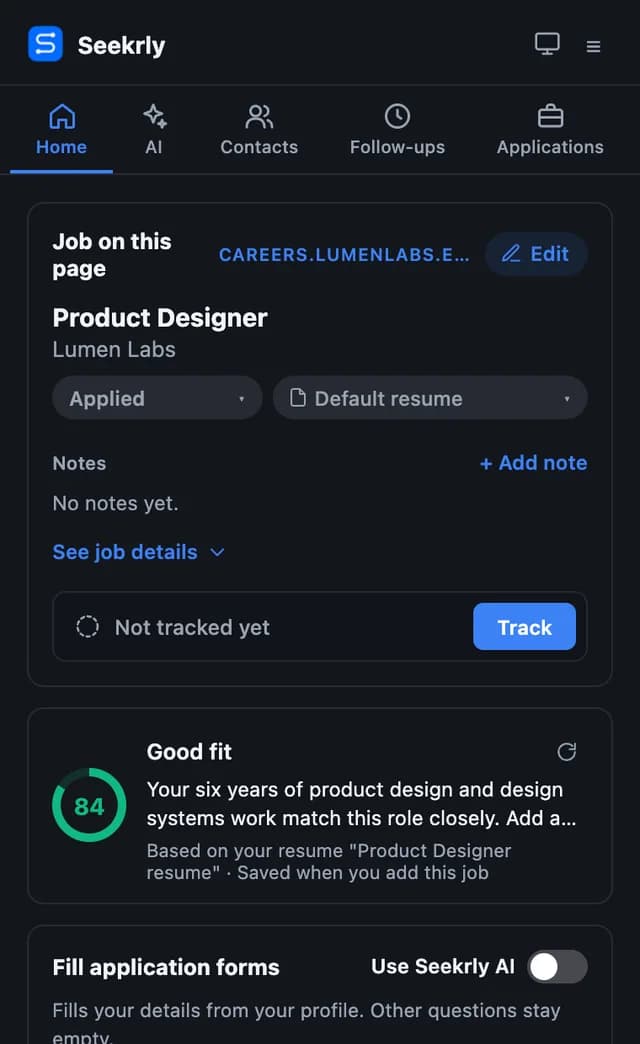
Save a job in one click
The dock appears on the job page. Click Track Job, and the role, company and description are saved to your applications.


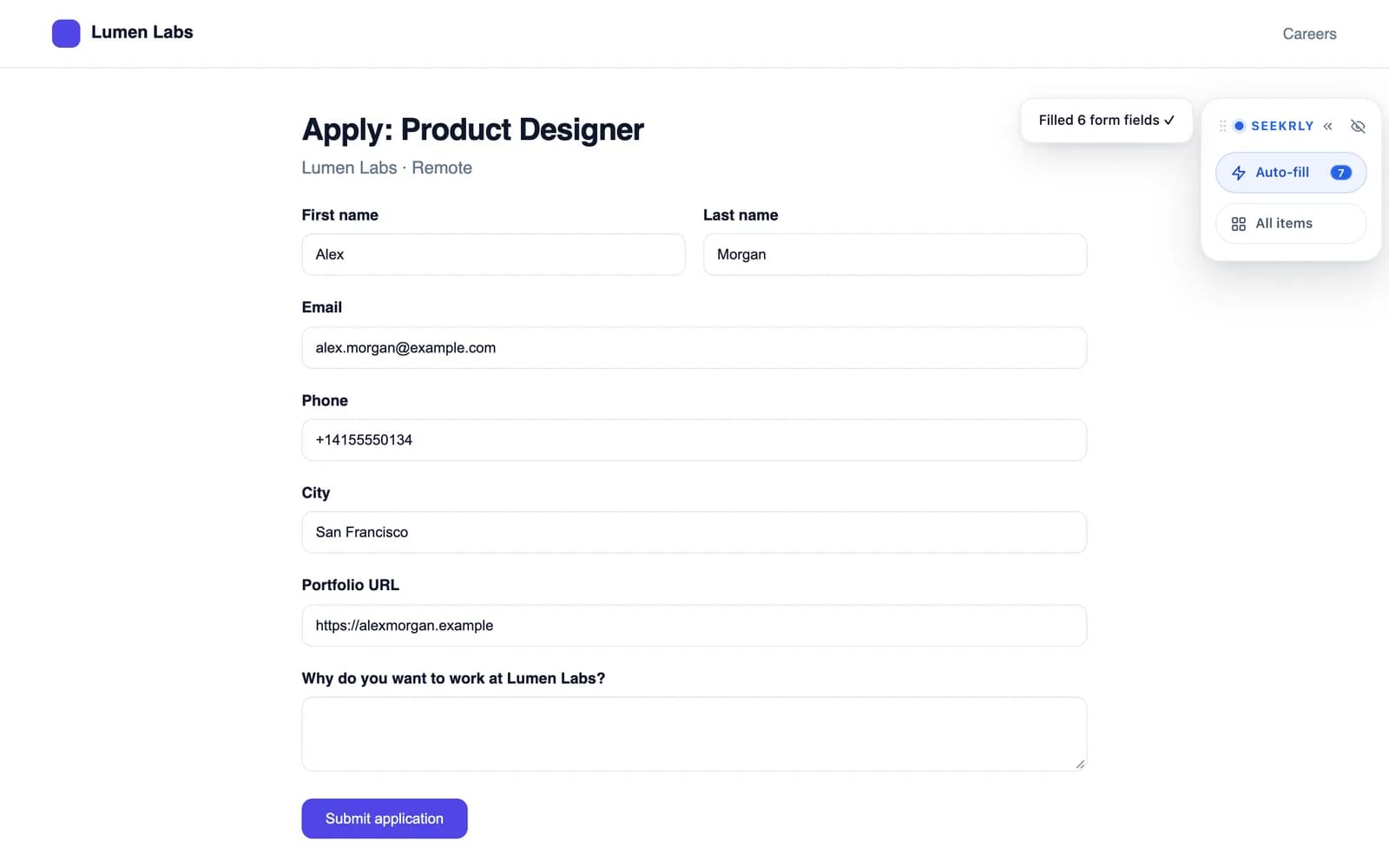
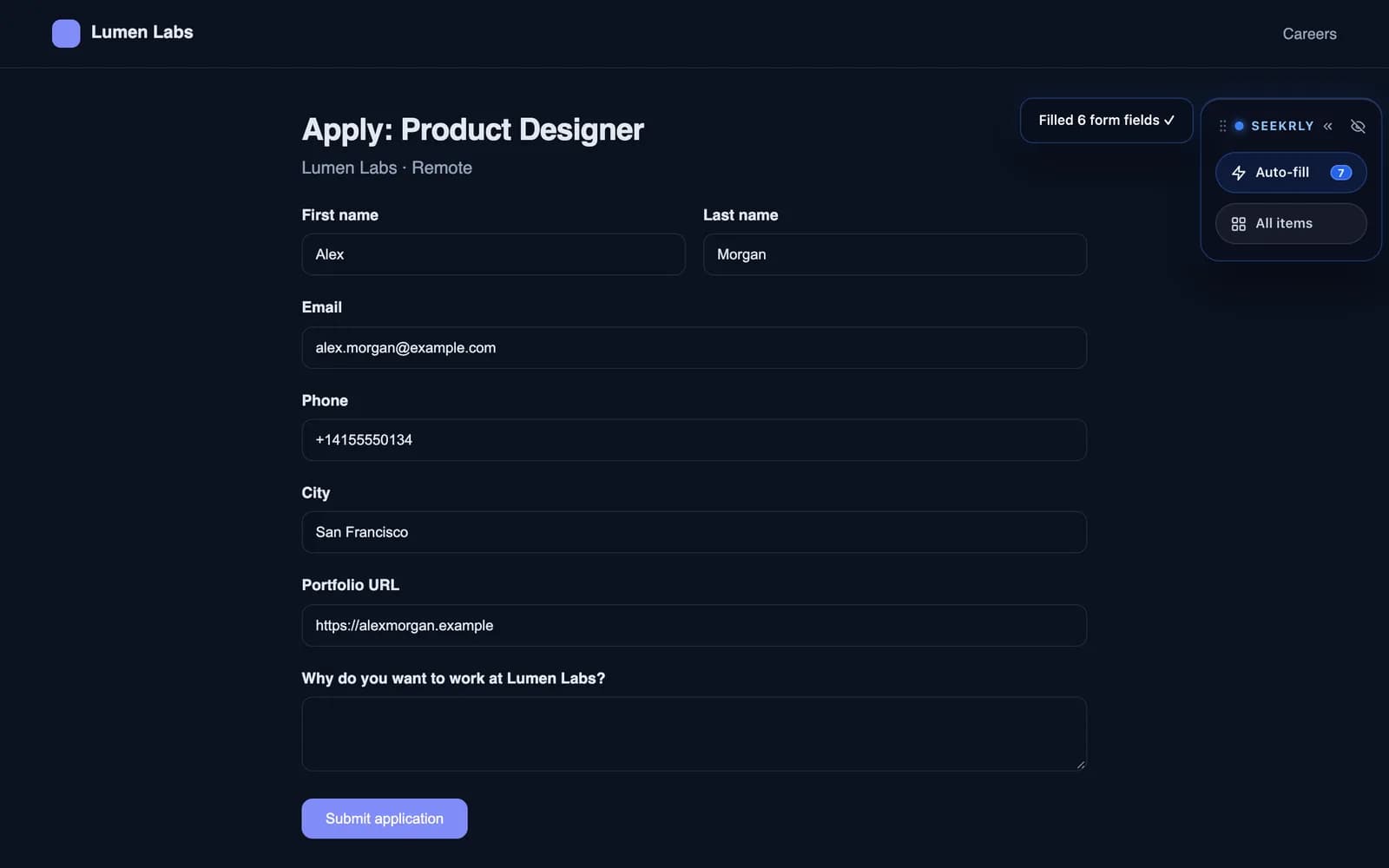
Fill the application form
Click Auto-fill, and your details go into the form from your profile. You check them and submit the form yourself.
Check your fit
See how well the job matches your resume before you apply.
Pro and Career+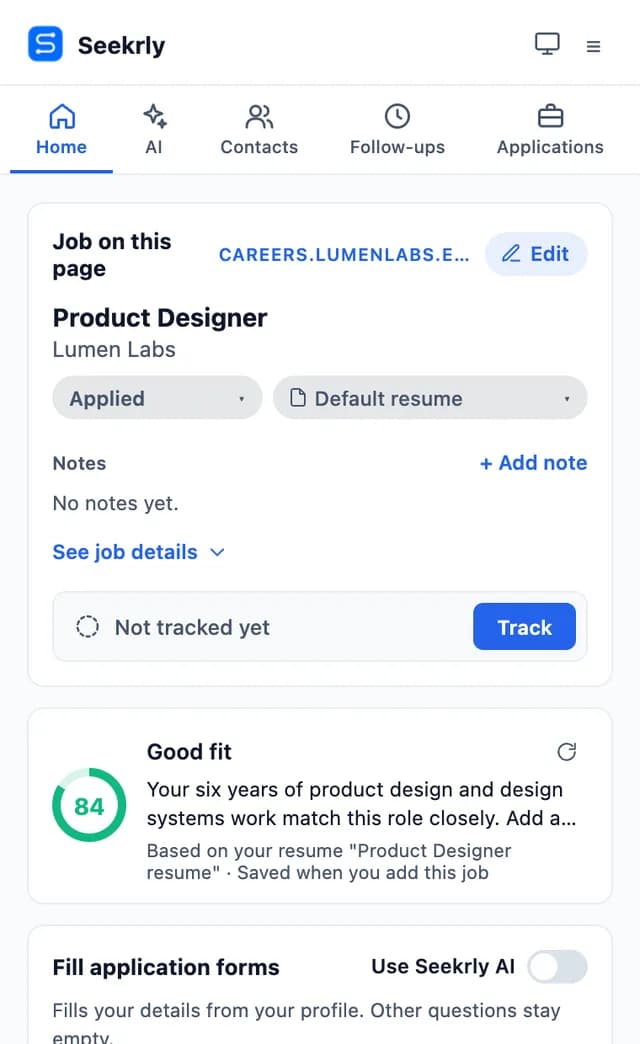
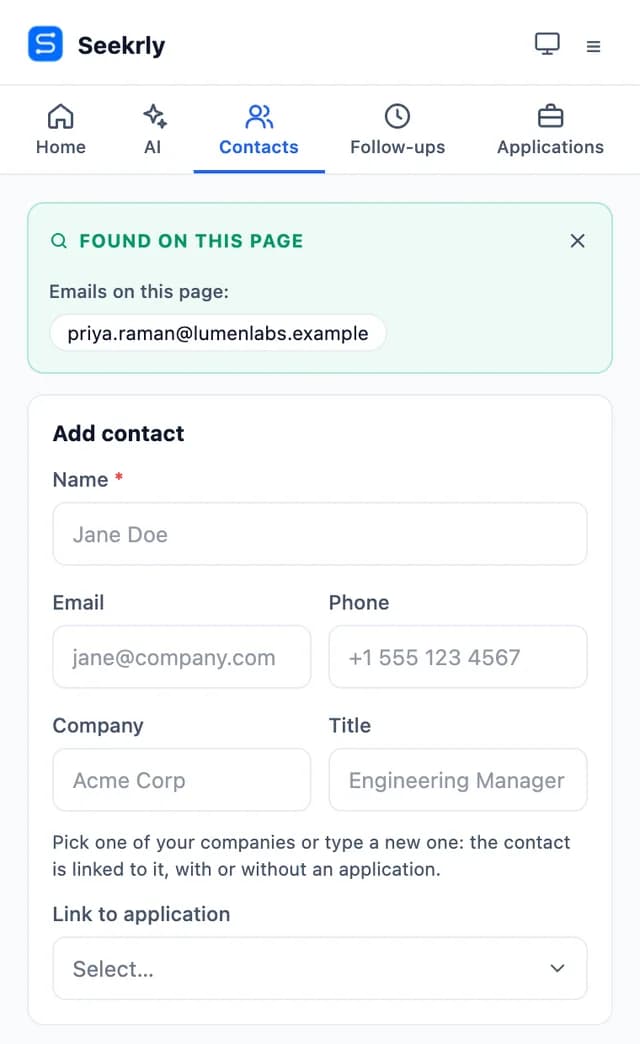
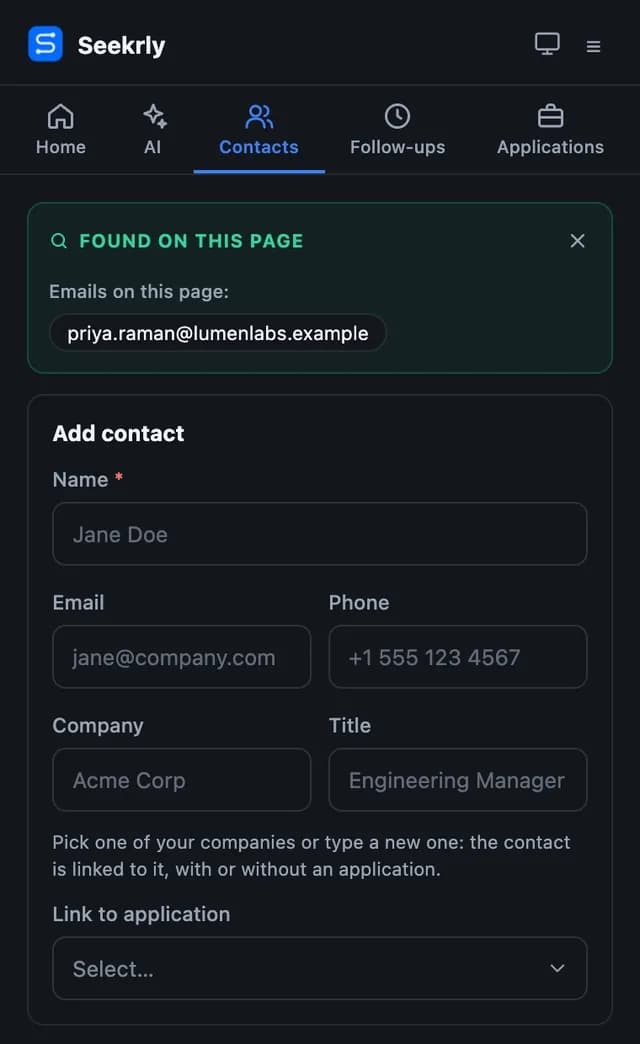
Find the people
Emails on the page are picked up, ready to save as a contact.
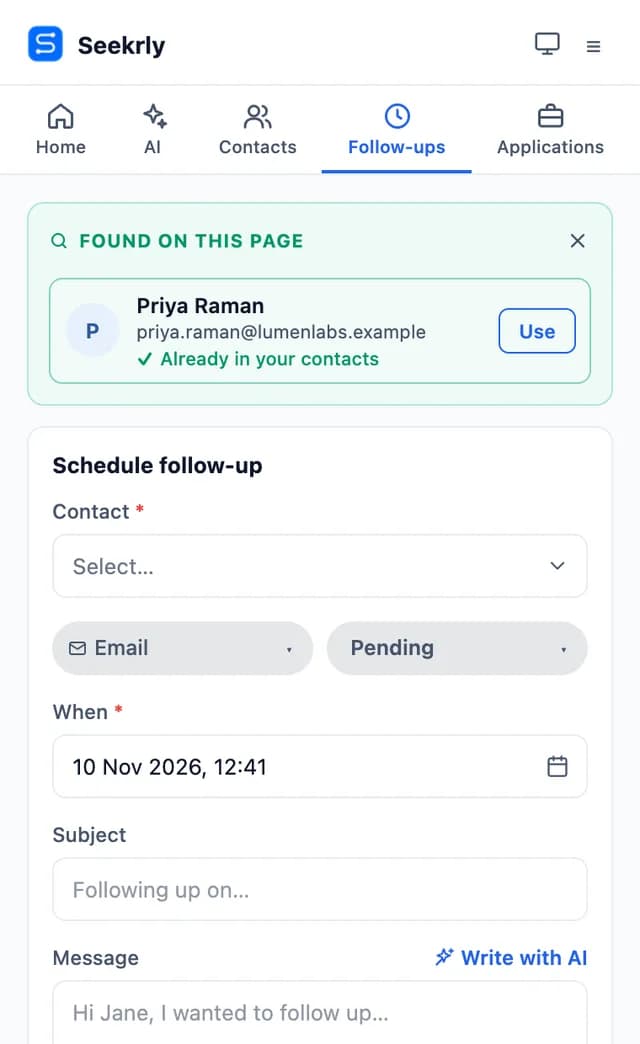
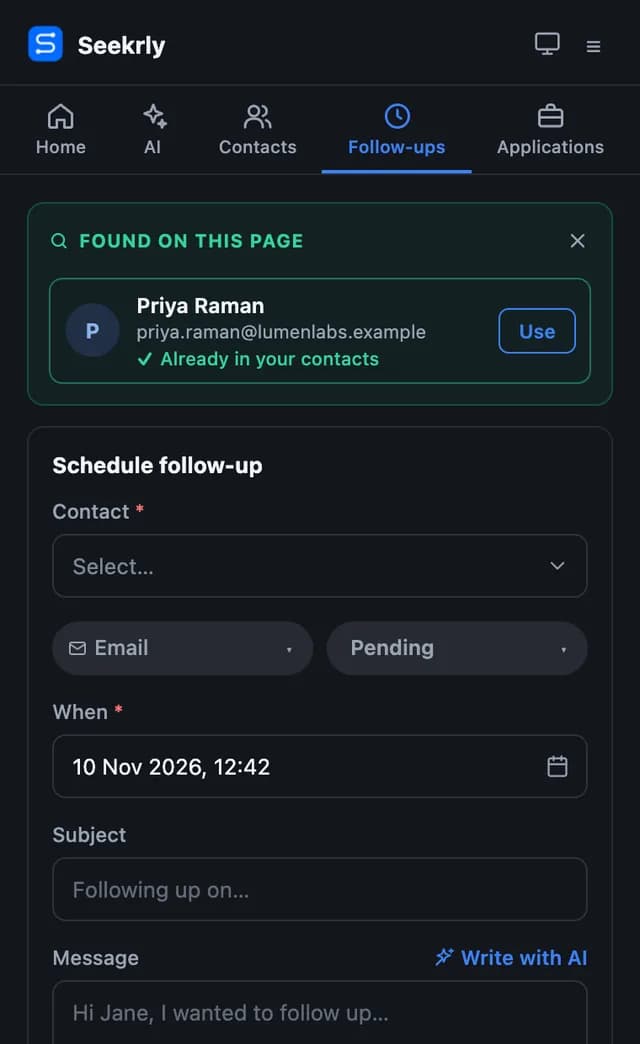
Plan your follow-up
Schedule the next message without leaving the job page.
See your applications
Check your list and change a status from the side panel.


What the job saver extension does
Job details captured for you
Seekrly reads the role, company and description from the page you're on.
Works beyond the big job sites
Many sites have their own setup, and detection covers other career pages too.
Save the people as well
Add a recruiter or hiring team member you find on the page as a contact.
Your search in a side panel
Check weekly goals, applications, contacts and follow-ups while you browse.
How to save jobs from your browser
- STEP 01
Install it and sign in
Add the extension to Chrome or Firefox and connect it to your Seekrly account.
- STEP 02
Open a job
The extension's dock appears on the job page, ready to use.
- STEP 03
Click Track job
The job is saved to your applications list straight away.

This video is hosted on YouTube, which sets marketing cookies. to play it here, or watch on YouTube.
Save jobs from the page you're already on
Copying a job into a tracker by hand is the step most people give up on. You find a good role, open your list, paste the title, paste the company and go back for the link. A few days later the list is out of date and you've stopped trusting it.
The Seekrly browser extension, for Chrome and Firefox, removes that step. Open a job on most major job sites or company career pages, click Track job, and the role, company and description go straight into your application list.
More than a save button
The extension also saves people. If a recruiter or hiring team member is shown on the page, you can add them as a contact and keep them linked to the job. Its side panel shows your weekly goals, applications and follow-ups while you browse, so you don't need to switch tabs.
When you reach the application itself, the same extension can fill in the form from your profile. You review the answers and press submit yourself.
A browser extension for job seekers who apply widely
Most people search across several job sites and dozens of company career pages. An extension that works where you're already looking keeps all of those jobs in one list, however you found them.
If a site isn't recognized, you can ask us to add it from the extension. You can also turn on tracking when you apply, which is off until you choose it.
Browser extension questions
Chrome and Firefox. Your account and your data are the same in both.
Most major job sites and company career pages. If a site isn't recognized, you can ask us to add it from the extension.
Yes, if you turn that option on. It's off until you choose it.
No. You find jobs wherever you like, and the extension brings them into Seekrly.
Yes. Saving jobs and contacts with the extension is included on every plan.
Yes. The extension saves to your Seekrly account, so sign in after you install it. Creating an account is free.
Ready to organize your job search?
Create a free account and bring every job, contact and follow-up into one place.